
Smarters IPTV Pro
Lucky ViraniVideo Players & Editors
0.00.00 Reviews
- Version
- 1.4.0
- Installs
- 10.00K
- Age Rating
- Everyone
Screenshots
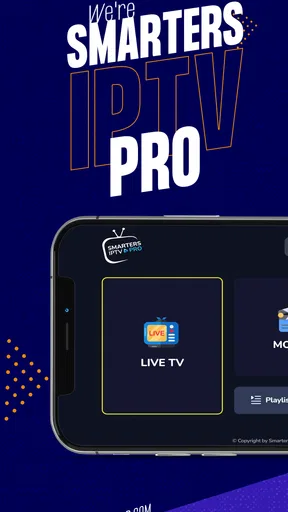
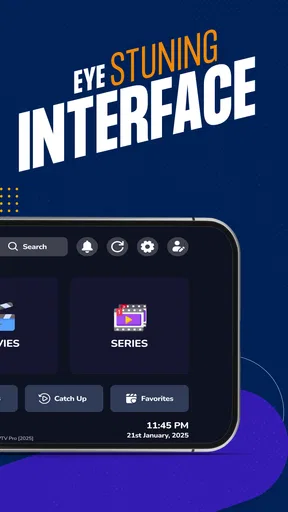
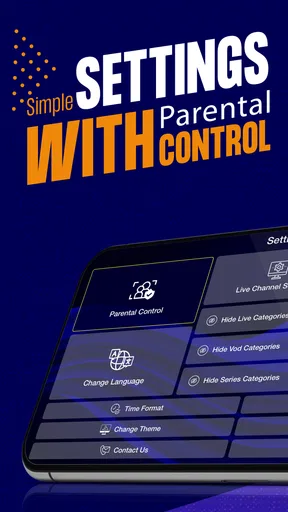
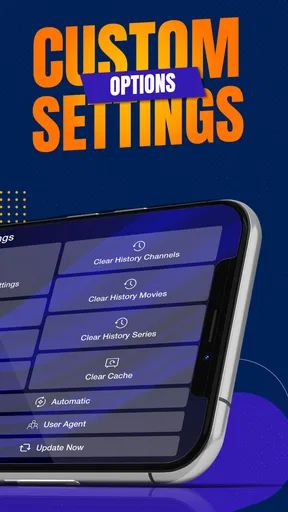
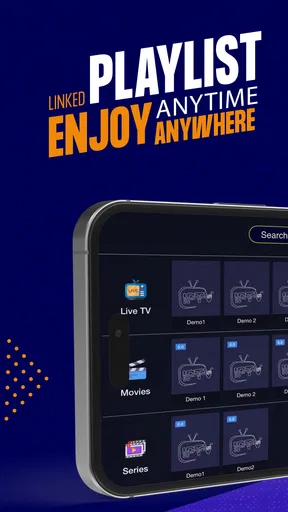
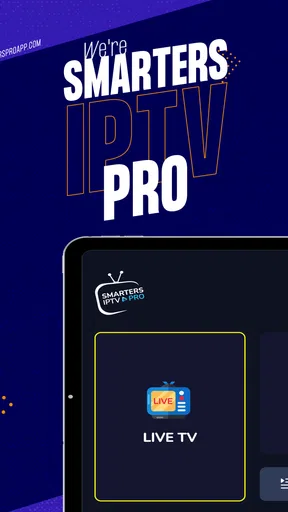
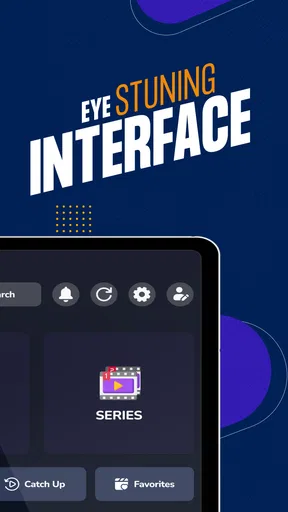
Our Review of Smarters IPTV Pro
 Analysis by Appyee
I approached Smarters IPTV Pro as a practical video player rather than as a source of television content. That distinction matters: the app is designed to play IPTV streams you already have access to, with M3U support at the center of the experience. In everyday use, its appeal is straightforward setup and a less complicated path from playlist to playback.
The app comes from Lucky Virani and sits in the Video Players & Editors category. It is free, rated for Everyone, and supports Android 7.0 or later. Its current version is 1.4.0, and the app has passed the ten-thousand-install mark. Those details suggest a lightweight, accessible product aimed at people who want an IPTV player without committing to a paid media platform.
How Smarters IPTV Pro feels in everyday use
My first impression is that the app is built around a clear job: add an M3U playlist, find a channel or stream, and start watching. That sounds basic, but it is exactly where many IPTV tools become frustrating. A player can have an attractive interface and still make playlist management feel like technical work. Here, the useful question is not whether it replaces every streaming application on a phone, but whether it gives an existing playlist a convenient place to play.
For a typical evening, the workflow is easy to understand. You receive an M3U address from a legitimate television provider, open the player, enter the playlist information, and browse what that source makes available. If the playlist is organized well, the app becomes a simple viewing hub. I would use it for live channels while traveling, for a personal media setup at home, or for keeping a provider’s streams separate from the larger collection of subscription apps on my phone.
The strongest part of the experience is the low barrier to entry. You do not need to build a media library or learn a complicated server system before seeing a result. The M3U format is widely used in IPTV setups, so users who already understand playlists can get to the useful part quickly. For someone new to IPTV, the process is still approachable, although the quality of the source playlist will have a major effect on how polished the final experience feels.
That last point is important. Smarters IPTV Pro is a player, not a guarantee of reliable programming. If a channel freezes, disappears, or loads slowly, the cause may be the source, the network, or the device rather than the application itself. I found it helpful to treat the app as the viewing layer in a larger setup. That mindset prevents unrealistic expectations and makes troubleshooting much more sensible.
What the current version means for a new user
Version 1.4.0 presents the app as a current, usable tool rather than an abandoned experiment. I would not read the version number as proof of a particular feature set, but it does give the product a defined present state: a free IPTV player with M3U support and an emphasis on smooth streaming and simple setup.
For a new user, that means the best starting point is a small, known playlist instead of importing a huge collection immediately. A compact list makes it easier to see whether the source works, whether channel names are understandable, and whether browsing feels comfortable on the device. Once that foundation is stable, adding a larger playlist becomes less confusing.
I also recommend keeping the first test practical. Try several channels with different stream qualities, switch away and return to playback, and check how quickly the list responds. This does not turn the app into a laboratory project; it simply tells you whether your particular playlist and connection are a good match. Smooth streaming is a useful aim, but real results depend on the complete chain from provider to network to phone.
The app’s free price is another meaningful part of its current position. It lowers the risk of trying it with an existing M3U playlist, especially if you are comparing it with paid IPTV tools. At the same time, free does not automatically mean perfect. I would judge it by how quickly it lets me reach a working stream and how little maintenance the playlist requires, not by expecting the same depth as a mature premium media center.
What appears to have evolved
The clearest verified milestone is the move to the current 1.4.0 release, following the app’s release on July 21, 2026. I see that as evidence of an actively defined product stage, but not as permission to assume a specific redesign, performance measurement, or newly added tool. The responsible conclusion is narrower: the app has a current version that users can evaluate today, while future improvements remain something to watch rather than something to promise.
From a user’s perspective, version progress matters most when it reduces friction in the basic routine. Playlist entry should be understandable, playback should begin without unnecessary detours, and returning to a familiar source should not feel like starting over. Those are the areas I would pay attention to when comparing this release with an older installation. If the newer build feels smoother or clearer on your phone, that practical improvement is more valuable than a long feature list.
Existing users should update with a little discipline rather than treating every version change as invisible maintenance. Before changing anything, keep the original M3U address or playlist details available. If your provider uses a generated address, save it somewhere secure and easy to retrieve. This is not because the app is difficult; it is simply a sensible habit whenever a player depends on externally supplied playlist information.
Another useful habit is to separate app problems from playlist problems. If one channel fails while others play normally, I would first inspect that channel or its source. If the entire list refuses to load, I would check the playlist address and connection before blaming playback. If video starts but repeatedly pauses, testing another network or another stream can reveal whether the issue is local. This simple process saves time and gives the current release a fair evaluation.
How it affects people already using IPTV
For an existing IPTV user, the main benefit is convenience rather than reinvention. If you already have M3U playlists and want a focused player on an Android device, the app can reduce the need to juggle several tools. It is especially suitable when your priority is watching live streams instead of organizing a large personal video archive.
There is also a useful separation between content ownership and playback. Your provider remains responsible for the channels and streams it supplies, while the app handles the act of opening them. I appreciate that arrangement because it keeps the player’s purpose clear. You can change legitimate playlist sources without rebuilding your entire phone setup, provided the new source uses a compatible format.
A realistic example would be a family member who has a lawful M3U playlist for local channels but does not want to navigate a desktop media center. I would set up the playlist on the phone, test a few frequently watched channels, and leave the app ready for straightforward playback. The advantage is not advanced customization; it is giving that person one focused destination instead of asking them to understand a larger media system.
Another scenario is temporary viewing away from home. A traveler might use the app with a legitimate playlist while connected to a dependable network. In that case, I would test the streams before leaving, because an IPTV setup that works perfectly at home may behave differently on mobile data or a hotel connection. The app can make access convenient, but it cannot remove the limitations of bandwidth, signal quality, or the playlist provider.
Users with an established premium IPTV application may see less reason to switch. A paid alternative may offer a richer remote-control experience, deeper library organization, or more polished device integration. If those features are central to your routine, Smarters IPTV Pro may feel intentionally simple. I would choose it when quick M3U playback matters more than building a complete entertainment dashboard.
Small workflow choices that make a difference
The first practical tip is to test with a clean playlist before importing a large one. A long list can hide the real cause of trouble: duplicate names, dead entries, or confusing channel groups. Starting small lets you confirm the basic connection and makes the interface easier to evaluate. After that, a larger source becomes much easier to manage.
The second is to keep playlist information organized outside the app. If you maintain more than one legitimate source, label each one by purpose, such as home viewing, travel, or regional channels. This avoids the common mistake of replacing a working source without remembering what it contained. The app’s simplicity works best when the user brings a little structure to the information being entered.
The third is to judge playback over time, not only by the first successful launch. Start a channel, leave it running during normal use, and try a few different entries from the same source. This helps distinguish a stable playlist from one that only appears to work. It also tells you whether the app fits your actual routine instead of merely passing a quick installation test.
A less obvious trade-off is that a simple player can be easier for one person and less flexible for another. Someone who wants to watch immediately may appreciate fewer distractions. Someone who wants detailed sorting, extensive recording controls, or a unified library may find the same simplicity restrictive. I would not call either reaction wrong; they reflect different expectations from an IPTV application.
Where the experience still has limits
The biggest limitation is dependence on the playlist. The app cannot repair an expired address, restore a channel removed by a provider, or turn a weak stream into a stable one. New users sometimes judge every playback issue as an application failure, but IPTV is a chain of services. Smarters IPTV Pro can make the front end easier; it cannot control every link behind it.
There is also a learning curve around M3U itself. People who expect a catalog-style service with ready-made channels may find the setup less immediate than opening a mainstream streaming app. You need a legitimate source and enough information to add it correctly. That is a reasonable requirement for this type of player, but it means the app is not the best choice for someone looking for an all-in-one content subscription.
Free software can also involve compromises in polish. I would approach the app with practical expectations rather than expecting the same level of refinement as a long-established paid media platform. The important test is whether the interface gets out of the way and whether your particular streams behave reliably. If you require a highly customized viewing environment, compare it carefully with alternatives before moving your whole setup.
Device compatibility deserves attention as well. Support for Android 7.0 or later covers a broad range of phones and tablets, but compatibility with the operating system does not guarantee identical performance on every device. Older hardware may handle high-quality streams differently from newer hardware, and a busy playlist may feel less comfortable on a small screen. I would test the app on the device that will actually be used for viewing.
Privacy and content responsibility are practical considerations too. The player does not make an unlicensed playlist legitimate. I would use only sources I am entitled to access and would avoid entering credentials or playlist addresses from unknown parties. That advice is especially important with IPTV because the quality and trustworthiness of the source can vary widely, regardless of how simple the player itself appears.
Who should use it, and who should choose something else
I think Smarters IPTV Pro is a good fit for Android users who already have an M3U playlist and want a free, focused way to play it. It also suits people who prefer a direct setup over a large media center, and households that need a basic live-streaming player without adding another paid service.
I would be more cautious about recommending it to someone who has no IPTV source at all. Installing the app alone will not provide a ready-made channel package. In that situation, a conventional streaming service or a licensed provider application may be more convenient because the content and playback system arrive together.
I would also point advanced users toward a more feature-heavy alternative if they need extensive library management, sophisticated remote control, or a broad home-theater workflow. Smarters IPTV Pro makes sense when its focused approach matches the job. It becomes less compelling when you want one application to manage local files, subscriptions, recordings, and multiple entertainment services in one place.
For casual users, the decision comes down to tolerance for setup. Entering an M3U source is a small task, but it is still a task. If you are comfortable doing that once and want a straightforward player afterward, the trade-off is favorable. If even that initial step feels inconvenient, a provider app with built-in access will probably be a better everyday choice.
What I would watch in future releases
Because the current product is defined by M3U playback and easy setup, future progress should be judged by improvements to those foundations. I would look for clearer playlist handling, dependable recovery when a stream drops, and a smoother return to previously used sources. Those changes would directly help the people most likely to choose this app.
I would also watch how well the experience scales from a short playlist to a crowded one. A player can feel excellent with a handful of channels and much less comfortable when the source contains many entries. Better organization would be meaningful if it preserves the app’s approachable character instead of turning setup into another technical project.
For existing users, the most useful signal will be whether updates improve daily reliability without disrupting established playlists. Keeping your source details available remains wise, but a good release should make ordinary maintenance feel less noticeable. I would value dependable playback and clear handling over flashy additions that do not help me reach a channel faster.
My overall view is positive but specific. This is not a replacement for every video application on Android, and it is not a content provider. It is a free IPTV player for people who already have a compatible M3U source and want a direct route to playback. The current version gives it a sensible starting point, while its real value depends on the quality of the playlist and the expectations of the person using it.
If that description matches your situation, I would try it with a small, trusted playlist and evaluate the complete routine rather than judging it from the installation screen. If the streams load reliably and the setup feels comfortable, the app can become a useful everyday tool. If you want a ready-to-watch catalog or a full-featured home media system, I would skip it and choose an alternative built for that purpose.
Verdict
Strengths of Smarters IPTV Pro
- Clean interface makes channel browsing quick and straightforward.
- Supports multiple playlists and accounts in one application.
- Includes electronic program guide support for compatible providers.
- Works with live TV, movies, series, and catch-up content in one place.
- Playback controls include subtitles, audio tracks, and aspect ratio options.
Limitations of Smarters IPTV Pro
- It does not provide TV channels or content without a separate IPTV subscription.
- Video quality depends heavily on your provider and internet connection.
- Some advanced features may vary across Android TV, phone, and iOS versions.
- Playlist setup can be confusing for users unfamiliar with IPTV links.
- Provider compatibility is not guaranteed for every format or catch-up service.
Similar Picks in This Category
View All
Google TV
Google LLC3.9

iTunes
Apple4.7

YouTube
Google LLC3.8

MX Player
Amazon Mobile LLC4.2

CapCut - Video Editor
Bytedance Pte. Ltd.3.5

PLAYit-All in One Video Player
PLAYIT TECHNOLOGY PTE. LTD.4.5
Frequently Asked Questions
What is Smarters IPTV Pro, and what does it do?
Smarters IPTV Pro is an IPTV player that lets you watch television channels, movies, series, and other media through a compatible internet-based service. It does not normally provide channels or video content by itself. After installing it, you generally need to enter details supplied by your IPTV provider, such as an Xtream Codes account, an M3U playlist, or a portal URL. The available features and content depend on that provider.
Does Smarters IPTV Pro include free channels or a subscription?
The application itself should not be confused with an IPTV subscription. Smarters IPTV Pro is mainly a media player and does not automatically grant access to premium channels, movies, or live sports. You may need to purchase a separate subscription from a legitimate IPTV provider and use the login information they give you. Be cautious of services promising every channel at an unusually low price, since reliability, legality, and privacy standards can vary considerably.
Which devices and platforms are compatible with Smarters IPTV Pro?
Compatibility can depend on the specific version and official distribution channel, but Smarters IPTV products are commonly associated with Android phones, tablets, Android TV devices, and sometimes other supported platforms such as iOS or smart televisions. Before downloading, check the application listing for your exact device model and operating-system version. Performance also depends on available storage, processor capability, internet quality, and whether your IPTV provider supports the selected device.
Why might channels or videos fail to load in Smarters IPTV Pro?
Playback problems are often caused by the IPTV provider rather than the player itself. Check that your username, password, playlist, or portal address has been entered correctly and that the subscription is still active. A weak Wi-Fi or mobile connection, overloaded provider servers, outdated software, unsupported video formats, or incorrect device time settings can also cause buffering and login errors. Restarting the app, testing another network, and contacting the provider are useful troubleshooting steps.
Is Smarters IPTV Pro safe and legal to use?
The safety and legality of using Smarters IPTV Pro depend on where you download it, the permissions it requests, and the IPTV service or playlists you add. Download the app only from a reputable official store or verified source, keep your device updated, and avoid modified APK files that may contain malware. Use the player with content you are authorized to access, because the application does not make unlicensed broadcasts legal and local rules may differ.
